
Yonamba1.0 - App Store
You'll be able to see results in few seconds.
Publisher Description
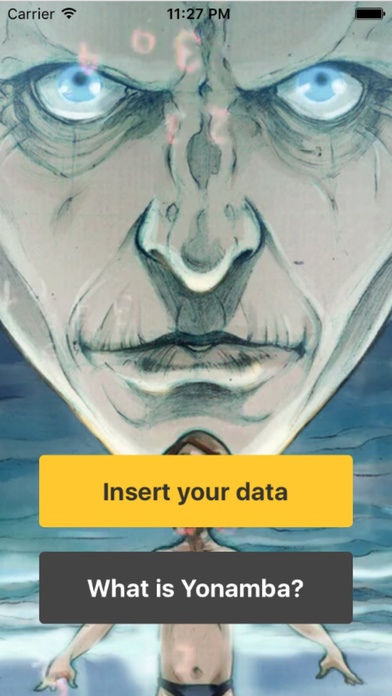
The best application ever developed to understand and express your capabilities.
Splendid fantasy illustrations, both male and female. Original responses, elaborated by experts.
Yonamba is a numerological application. The data input by the user are transformed into personal numbers that correspond to existential profiles. The Yonamba strong point is the quality of the texts and the illustrations. The texts of the responses are not standardised, but have been developed by the anthropologist Duccio Canestrini (author of many books such as Andare a Quel Paese (Feltrinelli) and I Misteri del Monte di Venere (Rizzoli)) and by Giuseppina Ferrari, animalist and student of archetypal symbology. The illustrations are by Gianluca Gugliotta, a young and extrovert maestro of the fantasy genre, also co-author of the cartoon version of the bestseller "Le Cronache del Mondo Emerso".
There are six numerological categories:
The Soul number expresses your original essence
The Appearance number describes how you show yourself to the world and how others perceive you
The Expression number corresponds to the complete expression of your Io
The Destiny number reveals the task you are called to carry out in your life
The Maturity number regards the last, more evolved phase of your life
The Personal Year number reveals the trend of the current year.
Numerology is an ancient instrument for knowledge of self. It is based on the symbolic meanings of the numbers that result from the combinations of figures associated with the alphabetic letters of your name and with the coordinates of your date of birth.
Requires iOS 7.0 or later. Compatible with iPhone, iPad, and iPod touch.
About Yonamba
The company that develops Yonamba is Arnaldo Volani. The latest version released by its developer is 1.0.
To install Yonamba on your iOS device, just click the green Continue To App button above to start the installation process. The app is listed on our website since 2016-12-20 and was downloaded 0 times. We have already checked if the download link is safe, however for your own protection we recommend that you scan the downloaded app with your antivirus. Your antivirus may detect the Yonamba as malware if the download link is broken.
How to install Yonamba on your iOS device:
- Click on the Continue To App button on our website. This will redirect you to the App Store.
- Once the Yonamba is shown in the iTunes listing of your iOS device, you can start its download and installation. Tap on the GET button to the right of the app to start downloading it.
- If you are not logged-in the iOS appstore app, you'll be prompted for your your Apple ID and/or password.
- After Yonamba is downloaded, you'll see an INSTALL button to the right. Tap on it to start the actual installation of the iOS app.
- Once installation is finished you can tap on the OPEN button to start it. Its icon will also be added to your device home screen.
Program Details
System requirements
Download information
Pricing
Version History
version 1.0
posted on 2016-12-20
Disclaimer
Official App Store Link
We do not host Yonamba on our servers. We did not scan it for viruses, adware, spyware or other type of malware. This app is hosted by Apple and passed their terms and conditions to be listed there. We recommend caution when installing it.
The App Store link for Yonamba is provided to you by apps112.com without any warranties, representations or guarantees of any kind, so access it at your own risk.
If you have questions regarding this particular app contact the publisher directly. For questions about the functionalities of apps112.com contact us.
